A three-day talk show at SETT2015 - part 2 - The Tech
 Micke Kring
·
Micke Kring
·
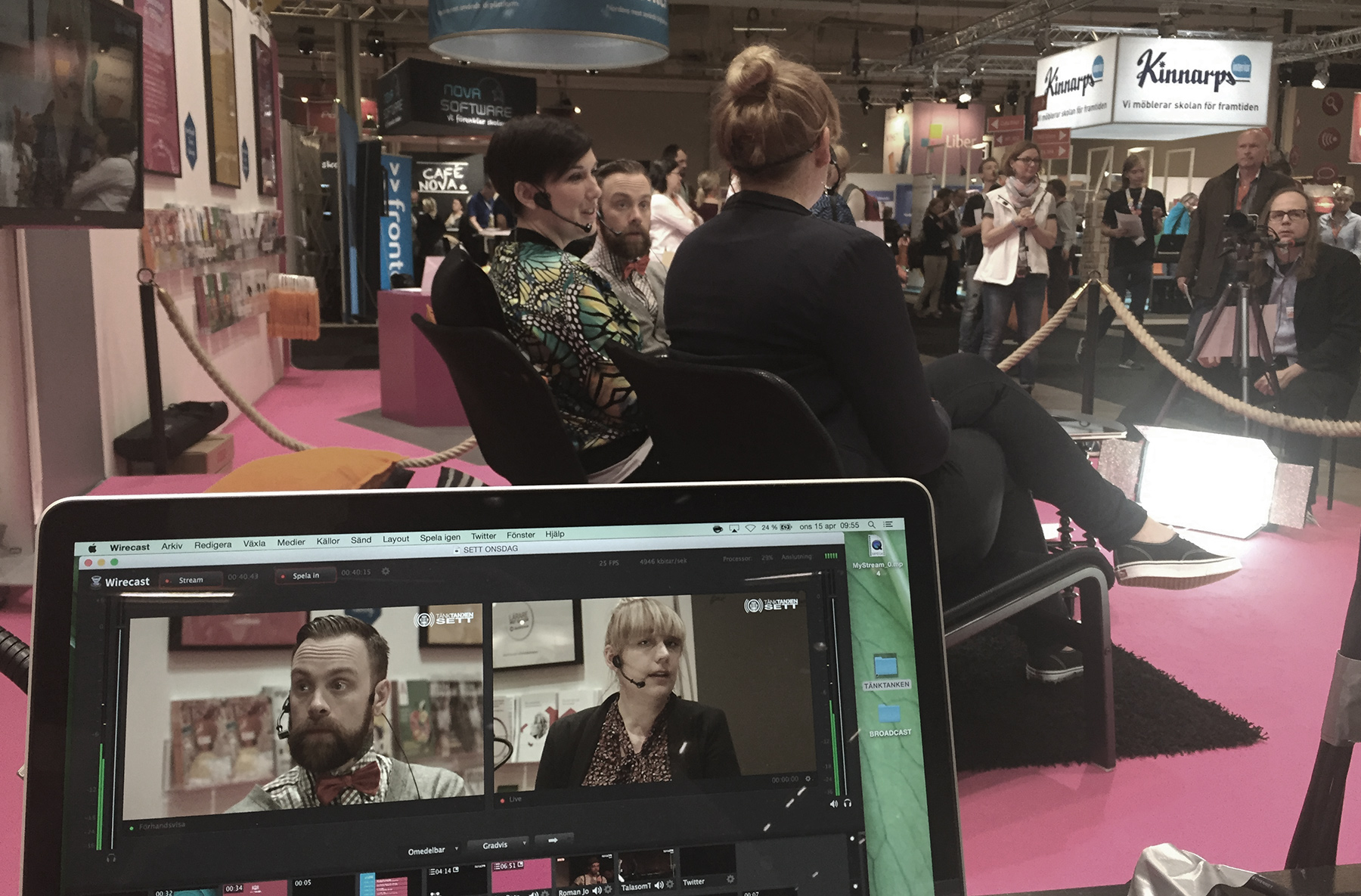
Okay. So we’ve looked a bit at why we want to do this, how we plan to execute it and what prerequisites we have in the form of resources.
Now let’s take a quick look at the technology behind the broadcast and talk show. The actual broadcast, graphics and streaming services I’ll cover in upcoming posts. This is about the core, the mother modem, the very heart of the hard drive.
COMPUTERS / DEVICES
We’ll run two MacBook Pro Retina 15" machines with all the extras, both running the same software and keeping all projects on both machines. This so they can act as backups for each other. One computer will function as the broadcast computer. This is where the cameras and audio come in, get mixed, have graphics applied and are finally compressed and sent to our streaming service so you can watch. A signal will also be sent from it to the projector/TV on stage. That requires a powerful machine. The reason we use laptops is that they’re more portable, even though a more powerful desktop would be preferable. We’ll also try to stream in 1080p, i.e. full HD. The reason this requires so much power is because of how much data has to be processed. Imagine the computer having to process 25 frames at 1920 x 1080 per second, with effects and everything. The fans will howl like a storm on the lake. The other computer will handle editorial work and quick-cutting and preparing reports and other material done during the event. We can also use it to handle social media, communications and the like. An iPad (or a third computer) will sit on a stand with the broadcast running. This is to make sure everything is going out. We prefer to use an iPad, but we know that the wireless usually doesn’t hold up at SETT. For the computers we have a wired connection. We’ll simply see how we solve that. Maybe we’ll set up our own network. Additional iPads/iPhones will be used to film short segments that are edited and broadcast during the breaks. I’ve designed and 3D-printed mounts for these so we can use our camera tripods if needed. We may also need additional devices for our hosts so we can send info to them.
CAMERAS
In a previous post I went through the technology and the cameras we use and we’ll continue to use two Blackmagic Pocket Cinema Camera as the main stage cameras. These output a clean 1080p signal via HDMI to small conversion boxes, Blackmagic mini recorder, which convert this to Thunderbolt, ready to be plugged into the computer.
We also have two webcams, Logitech c920, which we might use as an audience camera and for other purposes. Of course we also use the cameras in the iPads/iPhones when we do reports and similar. Since this happens in daylight the quality in those is actually really good.
AUDIO
As you may know, the most important thing during a broadcast is the sound. It doesn’t really matter how nice something looks if you can’t hear what’s being said. And since we’re broadcasting from a small stage in a booth right out on the exhibition floor, the conditions aren’t exactly ideal. If you’ve been to the fair before you know the noise level and the chatter. That’s why we’ll be using headsets. We have four from different brands, both Sennheiser and Shure. An interesting task with these will be setting the frequencies so they don’t pick up any other microphones in the hall or pick up radio or other interference. For the iPads and phones we have an iRig, where we can plug in whatever we want, since it offers phantom power. That also means we could run a headset and tape the transmitter to a camera tripod. Next week we’ll test all those variants. We also have smaller lavalier mics that we’ll test. All of this goes into a 16-channel mixer from Yamaha. From there the audio will be sent to the stage speakers and a separate output goes to an external compressor/limiter and then to the sound card on the broadcast computer. For those wondering why and what a compressor and a limiter do, a very simplified explanation is that a compressor keeps the audio levels even. If someone speaks quietly the compressor raises the level and if someone speaks loudly it lowers it. The limiter is your parents outside your teenage bedroom. There’s a maximum limit to how loud sound can be and it’s usually marked at 0dB. If the level goes above that it starts to crackle and clip. That’s called distortion. So the limiter makes sure everything sounds as loud as it can but clips the peaks and keeps everything just under 0dB. Like your parents when they ask you to turn it down because you’ve pushed past their 0dB. ;)
SOFTWARE
I won’t go into this until a later post, but the software we use to create the broadcast are Wirecast, Apple Motion, Apple Final Cut X, Adobe Photoshop, Adobe After Effects.
NEXT PART - BROADCAST AND GRAPHICS
In the next part I’ll go through how we create graphics and other things for the broadcast, so stay tuned.

About the author
Micke Kring
I'm fascinated by what happens when people and technology meet. After nearly 30 years in education and development, I explore, prototype and teach AI with the same playful curiosity as when I first started out.