Set up your own booking system for rooms and resources
 Micke Kring
·
Micke Kring
·
Digitalization is largely about making things simpler, more efficient and better. A paper calendar with a pen outside a bookable room — for example a conference room or a Makerspace — is neither efficient nor very clever (unless you sit close to that room). But a simple thing like a booking system fixes the problem. So I thought I’d show you how to put together a simple system for little money, to give everyone the same opportunity to book a room or any resource.
Why?
In our organization we use Outlook, and although you can set up resource calendars, mobile users (phone / iPad) can’t access those calendars. You also can’t make the calendars public, so I can’t fetch data from them. Besides, I want an extremely simple setup that everyone can get started with (see earlier article on the 5-minute rule). Since this isn’t about sensitive information, I also want a simple login with username and password. That’s why I put the booking on our blog network so everyone can log in with existing credentials.
Setup
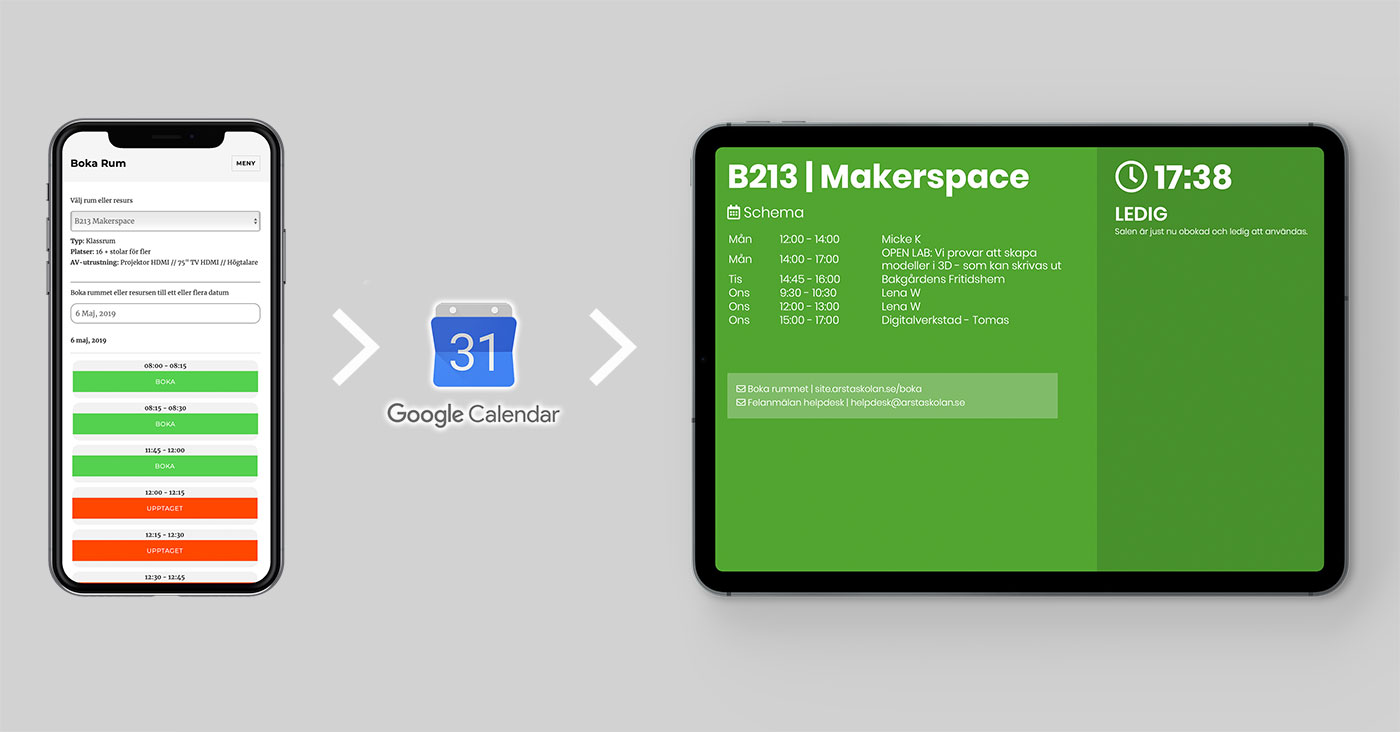
The nice thing about this solution is that all parts are essentially independent from each other. You don’t have to use all the parts. It also doesn’t require any specific hardware. Use what you have. 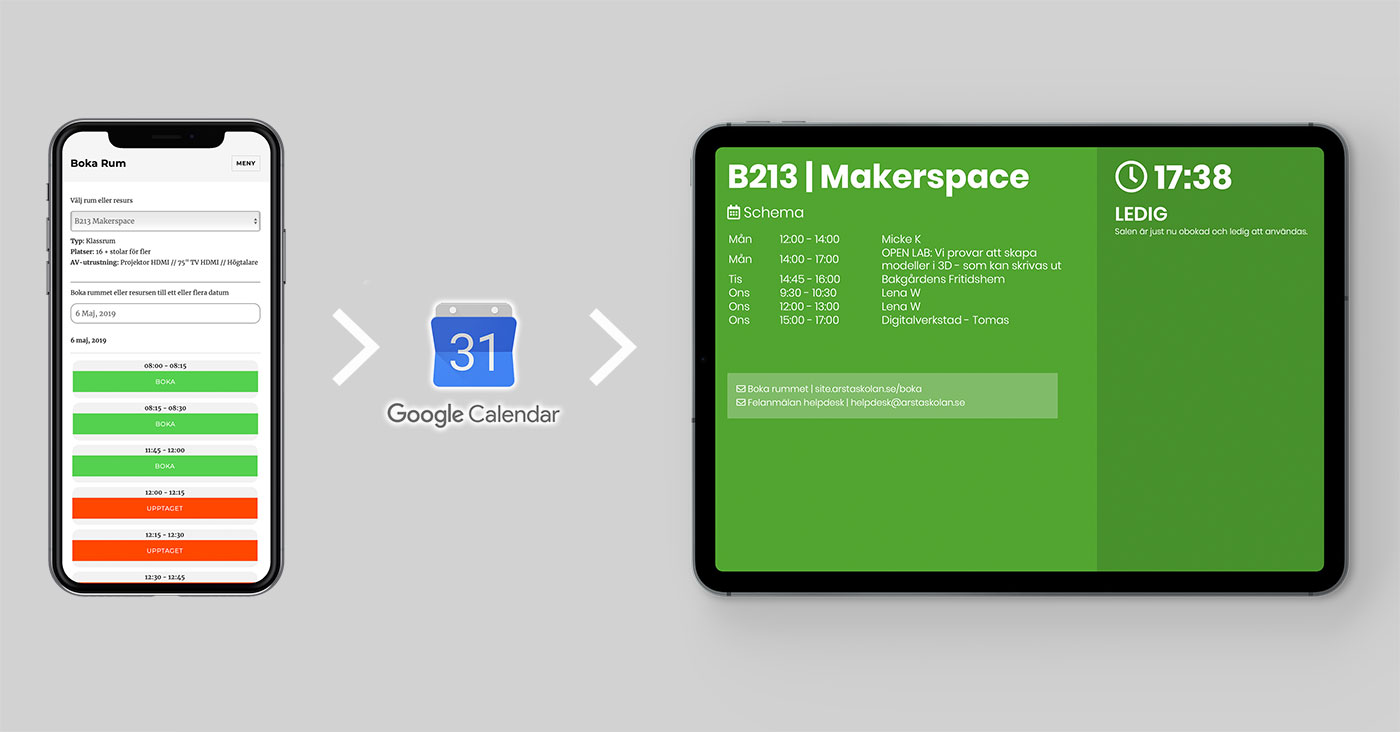 From left to right (in the image above), the booking system consists of a WordPress site with a booking plugin. When you make a booking on the site the booking is sent to a Google Calendar. As an administrator you can of course make the booking directly in Google Calendar as well. Then that booking syncs back to the booking system. Finally I have a screen outside the relevant room that shows the calendar and whether it’s free (green) or occupied (red). You can use any screen that can load a webpage. In our case we have a bunch of old iPads that are no longer used in the organization and can be reused.
The booking system - WordPress + Webba Booking
The booking system consists of a WordPress site with the Webba Booking plugin installed. Webba Booking https://codecanyon.net/item/appointment-booking-for-wordpress-webba-booking/13843131 costs $69 at the time of writing. I run the WordPress default theme Twenty Sixteen with some simple CSS fixes, such as showing bookable times as green and occupied times as red.  For each room or resource you set up a separate Google Calendar and connect it to Webba Booking. Everything is well documented. What the user sees is a login page and after they’ve logged in they go straight to booking. There they choose a room or resource and the date. Then all times appear and they check the times they want. When they’ve booked, they also receive a confirmation email with an .ics file so they can add it directly to any personal calendar.
On https://support.arstaskolan.se/boka-rum-eller-resurs/ you can watch the instruction video if you want to see how the booking works.
Google Calendar
As I wrote above, you create a Google Calendar per resource or room. This should also be public so it can be read by the screen (in the next step), so be careful not to include sensitive information in the booking.
Info screen - Raspberry Pi + Python
The info screen is a modified version of a previous project I made for a personal info screen outside my office. The program is written in Python and runs on a Raspberry Pi, which costs no more than about 350 SEK. But of course you can run it on any computer as long as you can install Python and its components.

The program reads the Google Calendar every 30 seconds and creates a webpage from that information, which it uploads to your web server via SFTP. I’ve uploaded the code to GitHub at https://github.com/mickekring/Rumskalender Afterwards you can use any digital device that can load a webpage. Since it’s not a heavy page you can use fairly old hardware. The page reloads itself once a minute.
If you have any questions just ask them in the comments or via social media.
About the author
Micke Kring
I'm fascinated by what happens when people and technology meet. After nearly 30 years in education and development, I explore, prototype and teach AI with the same playful curiosity as when I first started out.