IoT Project | Connected Spaces – Part 2: Components and Code
 Micke Kring
·
Micke Kring
·
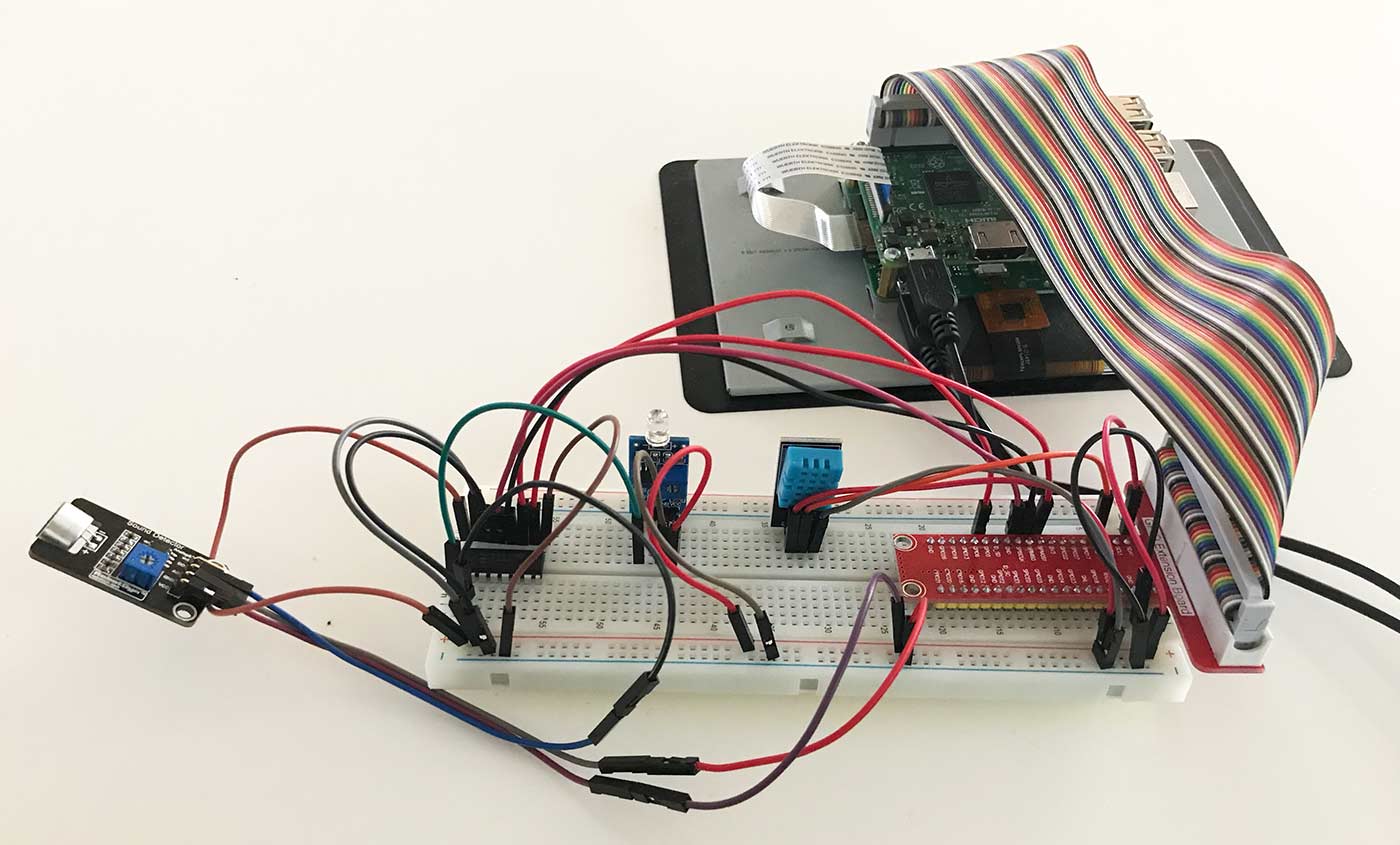
Time for an update on my little IoT/professional-development project again, the one about connected classrooms or rooms. In the first post I wrote about the purpose and in this one I’ve chosen components, a platform and started coding. I’ve also started another project that will to some extent run in parallel with this, but more about that later.
Hardware
All code and all sensors are connected to a Raspberry Pi3. A bit overkill, I know. But I have a number of Pi3s lying around, so that’s what I’ll use for the project. I might also set up a database and that will probably run on one of my web servers. We’ll see how big this project grows.
Components / Sensors
I’ve chosen cheap, fairly simple sensors. These are the type you either get for a few kronor if you order them from China, or pay a few tens of kronor for here in Sweden. It’s actually pretty crazy how big the price differences are, so take a good look around at different places before you order. What’s worth knowing for you is that I already had most of the hardware and sensors, so that made the choice easier for me. :) That’s why I haven’t done a lot of research on what works best and that’s not the most important thing right now. I just want to put together a prototype and see if this might be something worth spending some time on. Also important to know is that these components can’t replace professional equipment. I’ll try to calibrate most things against known sources, but the most important thing for me is to show trends over time for, for example, temperature and other things.
Temperature - Humidity - DHT11
To read indoor temperature and humidity I chose a DHT11. [caption id=“attachment_49977” align=“aligncenter” width=“1400”]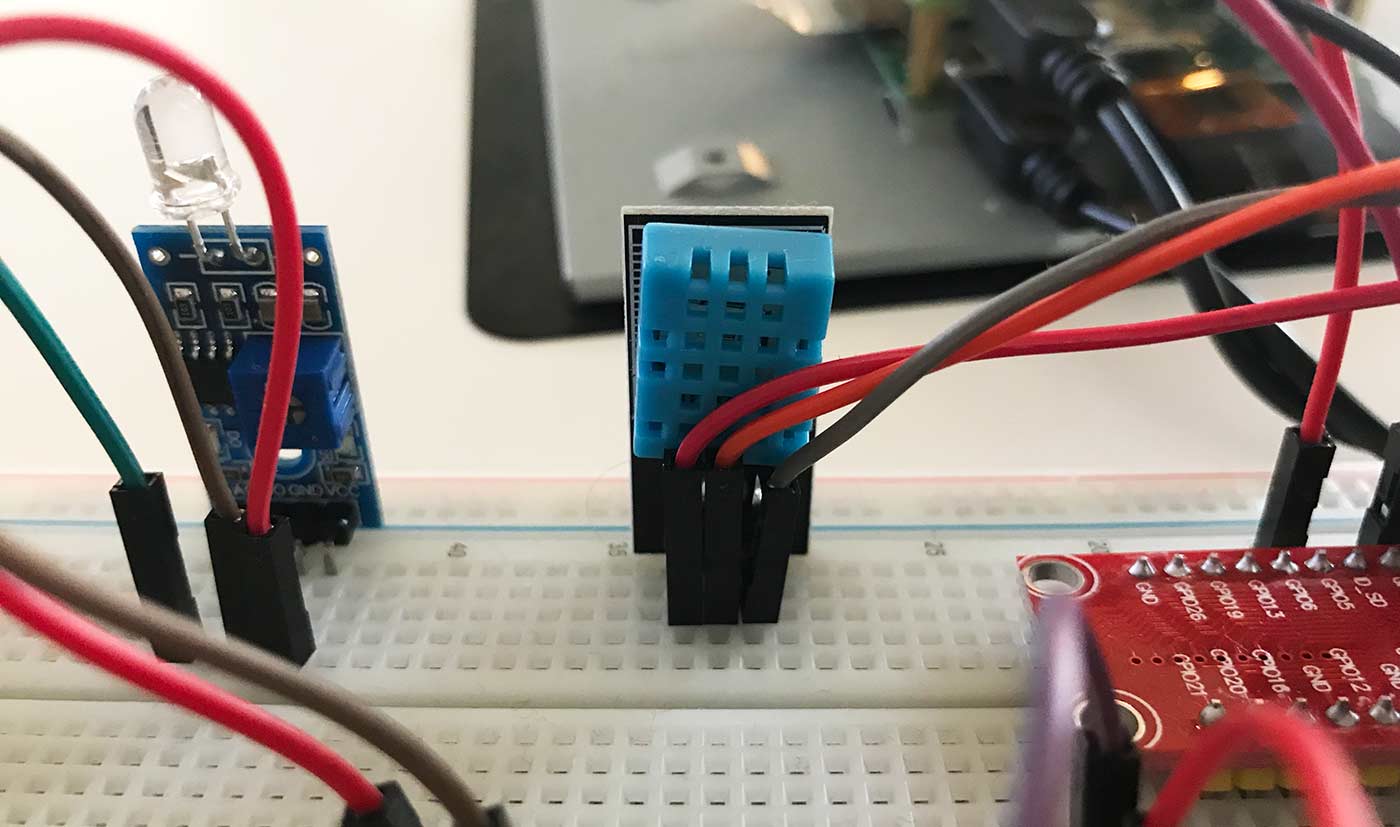 The DHT11 is the sensor in the middle of the picture.[/caption]
Sound sensor - Unknown model from RobotDyn
To measure sound level I needed a sound sensor with analog output. Many of these have only digital output and can therefore only detect whether there is sound or not. So you only get a one or a zero. This one was bought via AliExpress from RoboDyn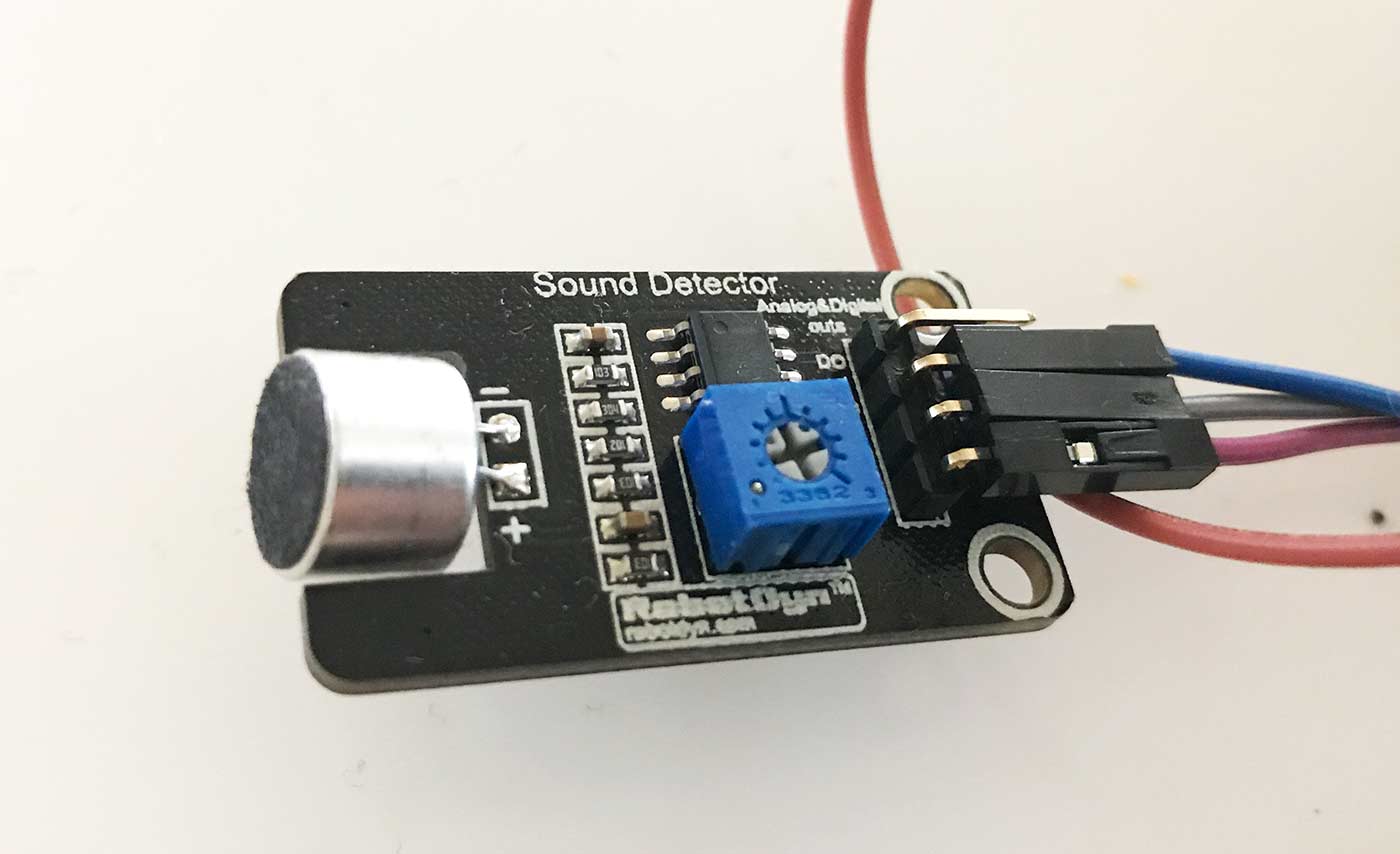
Light sensor - LM393
I have a couple of different light sensors, but I’ve chosen to test this LM393 Light Sensor, which also has analog output. [caption id=“attachment_49978” align=“aligncenter” width=“1400”]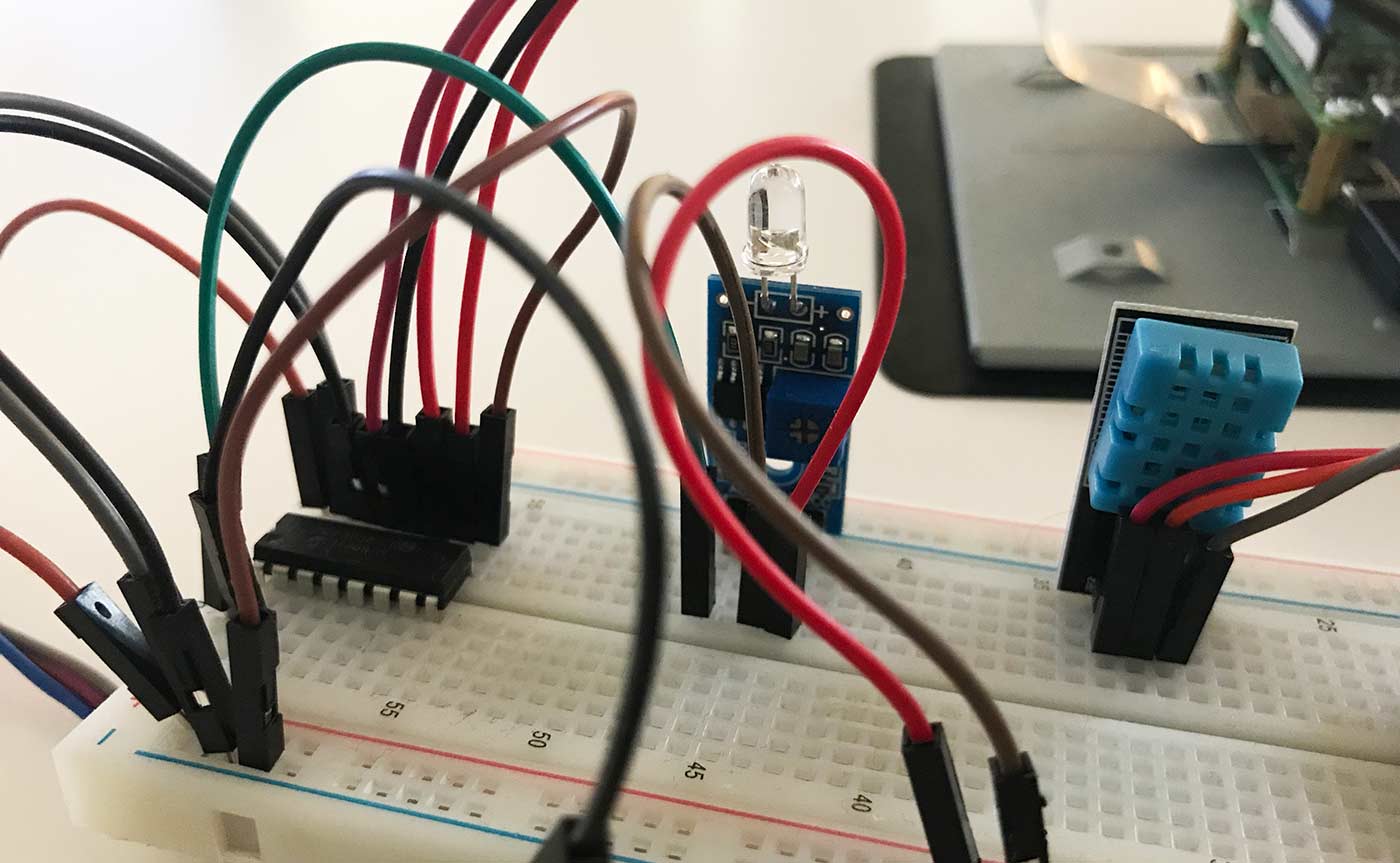 The light sensor is the one in the middle of the picture.[/caption]
ADC Analog to Digital - MCP3008
Because these components with analog out are connected to a Raspberry Pi3, which can’t read analog, this converter is needed. MCP3008 works really well for the purpose. 
CO2 - No sensor yet
I had planned to read CO2 in the rooms, but haven’t found any cheap, simple sensor for this yet, so I’ve simply skipped it for now.
APIs - Outdoor weather + pollen + SL
To pull data on outdoor weather, pollen and local traffic I use APIs from openweathermap.org, scrape RSS from pollenrapporten.se and Trafiklab. These are free APIs, but with some limits on the number of calls, so I’ll need to tweak the code a bit.
Code - Python + a bit of html
All code will of course be uploaded to GitHub. As I said, I’m not a programmer, but if you’re interested in looking at, or using, this, feel free to do whatever you want with it. Everything is written in Python, except for the code for the displays that will sit in the rooms, which is html/css. Right now all sensors are running. They would need to be calibrated, but I’ll do that on site later. As you can see in the clip below, which I posted on Twitter (and other social media), the html is generated and uploaded to a webserver. So right now it’s only real-time measurement of data. https://twitter.com/MickeKring/status/1166797645031100419?s=20
Next step - part 3?
When I sketched this project I had planned to include some facial recognition, but that will probably have to be put on ice for a while. However, a PIR motion detector will be added to sense whether there are people in the room. This is to possibly automatically cancel rooms that are booked but nobody shows up for. A magnetic switch to detect whether windows are open will also be added. Then the system should also be able to book and cancel rooms and communicate, for example via SMS or similar. The nearest task, though, is to start sketching how all the data should be stored and how I can extract forecasts and similar from it. But I’m not there yet, so I’ll simply have to come back to that… Any questions? As usual, just ask them in any comment field. Part 1: Getting started Part 2: Components and code

About the author
Micke Kring
I'm fascinated by what happens when people and technology meet. After nearly 30 years in education and development, I explore, prototype and teach AI with the same playful curiosity as when I first started out.