Calendar View and Attendance Status | Dosprojektet version 2.0
 Micke Kring
·
Micke Kring
·
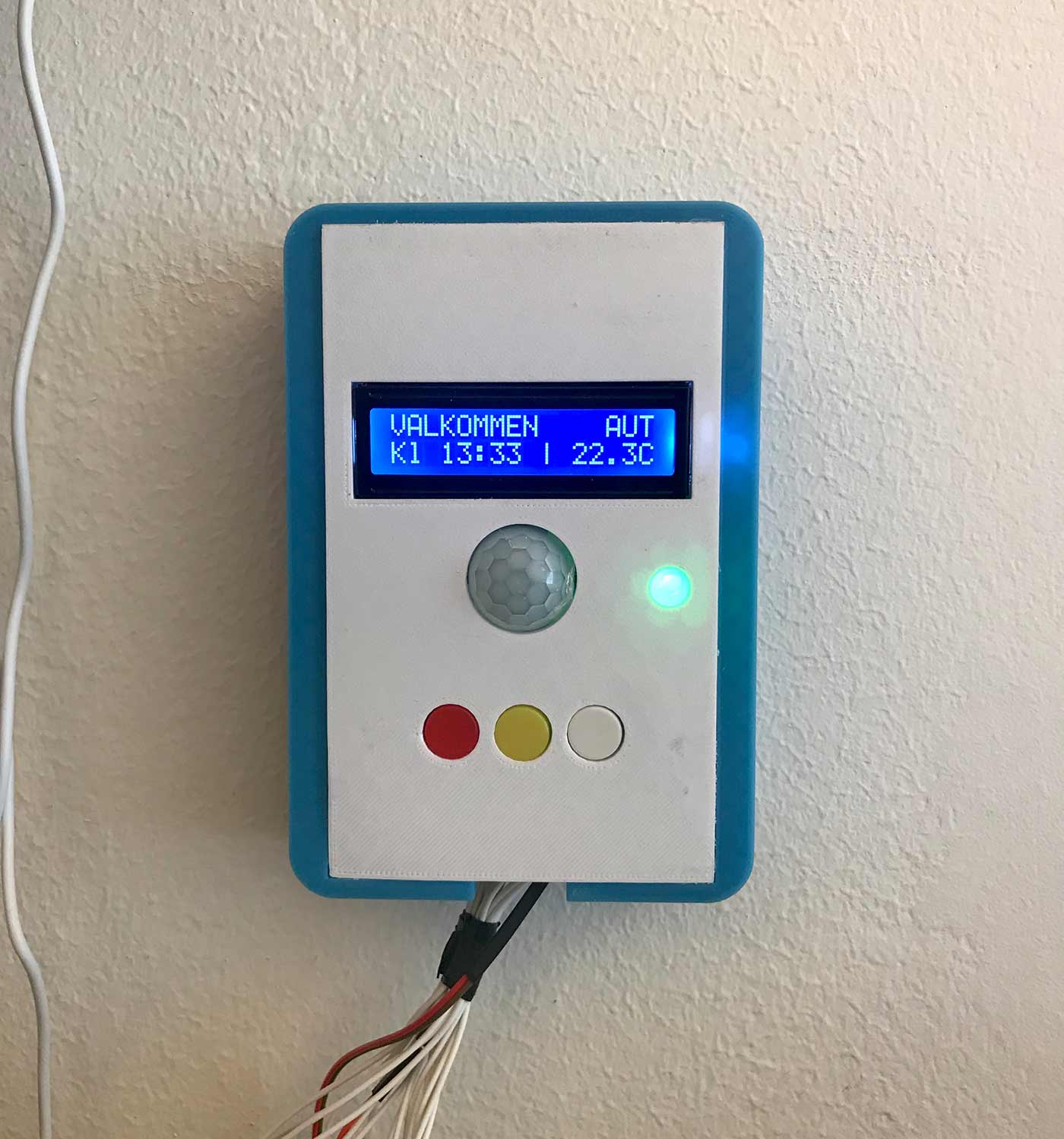
A project that shows a calendar and current status (Welcome / Occupied / Not in) for a person and room based on an ics file or via a physical box with buttons in the room. The script automatically sets status depending on what the current calendar event contains — for example the word ‘möte’ will generate ‘upptaget’. Of course you can ‘override’ that using the physical buttons.

How?
A Python script runs on a Raspberry Pi that listens for input from either physical buttons (Occupied, Welcome or Not in) or a public online calendar (currently iCloud or Google) and creates a webpage that it uploads to your server. From there you can use old leftover tablets or similar screens to display the status outside e.g. conference rooms, classrooms or offices. A motion detector is also included as an example that can tell you if you forgot to enable automatic mode. With text to speech it will also speak.
Disclaimer
This is another personal learning project for me intended to teach myself simpler programming. It also gives me the opportunity to actually build gadgets and have some fun — while solving one problem or another. In other words, please don’t be too harsh about my coding skills. :)
Credits
The calendar import functionality is a rework and further development of jeinarsson https://gist.github.com/jeinarsson/989329deb6906cae49f6e9f979c46ae7
Updates
2018-10-19 | v1.4 - The project is finished
The project is now officially finished. The hardware is mounted on the wall, even though it could have been printed a bit nicer. :) Of course the code will continue to be updated and only “stable” versions will be uploaded in the future.
2018-09-23 | v1.3 - Motion detector and text-to-speech
This is now implemented. More info coming.
2018-09-23 | More components added
I’ve now added an LCD screen to be placed in the box as well as a PIR (motion detector). Code is also prepared for text-to-speech.
2018-09-13 | Project start
The project isn’t finished yet, as more features will be added. But it’s a start and everything works. More info coming.
Bugs and to-do
To do:
- Nothing right now.
Bugs:
- Nothing right now.
Hardware and tools

- Raspberry Pi 3
- An old tablet or similar with internet and a browser
- 3d-printer (or access to someone else’s printer)
- Web server with SFTP access for file upload
- Kiosk software for the tablet that will run the content — for example Kiosk Pro Basic (which I use) https://apps.apple.com/se/app/kiosk-pro-basic/id409918026
- Various electronics — resistors, potentiometer, buttons, wire etc
- LCD 16x2
- Thermistor
- PIR - Motion detector
Python setup
The project runs on Python 3.7, but it should work on any 3.x. The following packages need to be installed;
- iCalendar - for reading the calendar // sudo pip3 install iCalendar
- paramiko - for uploading files via sftp // sudo pip3 install paramiko
- yaml // sudo pip3 install pyyaml
- mpg123 // sudo apt-get install mpg123
- gTTS // sudo pip3 install gTTS
- alsaaudio // sudo pip3 install pyalsaaudio
3D files
 * The box - https://www.tinkercad.com/things/lN3sJKhJ07x
  * The top - https://www.tinkercad.com/things/13lDy7Ruy8B
Files
Code is available on GitGub at https://github.com/mickekring/Kalendervisning-och-N-rvarostatus main.py main.py is the main program that should be run. All changes are made here. ics.py and rrule_patched.py These two files handle the calendar import and sorting of events. No changes need to be made to these files. credentials.yml In this file we store passwords and other things that main.py needs to for example connect to the SFTP server to upload files. The only two places that need content are user: and urlcalendar: where the former is user credentials for SFTP and the latter is the URL to the calendar to be read. Fill in your details without ’’ or “”, that is like this: username: yourusername password: yourpassword123 index.html This file runs on the device (for example an iPad) that will display the status. It’s best run locally (in the kiosk app) since it updates itself — and tries to load index2.html via embed — every other minute. This in case the internet connection disappears. Then this file will continue to try to load index2.html. The Python program makes no changes to this file. index2.html This file is built by the Python program and uploaded to your server. This is the content. Change main.py if you want to change the content here. The file updates itself every 12 seconds. style.css Stylesheet. Style as you like. Uploaded initially. style_bg.css Controls the background color of the screen, i.e. red for occupied, green for welcome and black for not in. Uploaded when status changes. user_pic.jpg The image that is shown on the screen. Uploaded initially.

About the author
Micke Kring
I'm fascinated by what happens when people and technology meet. After nearly 30 years in education and development, I explore, prototype and teach AI with the same playful curiosity as when I first started out.